
Git and source control
Review diffs, stage files, and save milestones in a plain Git repository.
Use Git for the versions you want to name: a completed chapter, a revision sent to your supervisor, or the source behind a submission. It works locally without a GitHub account.
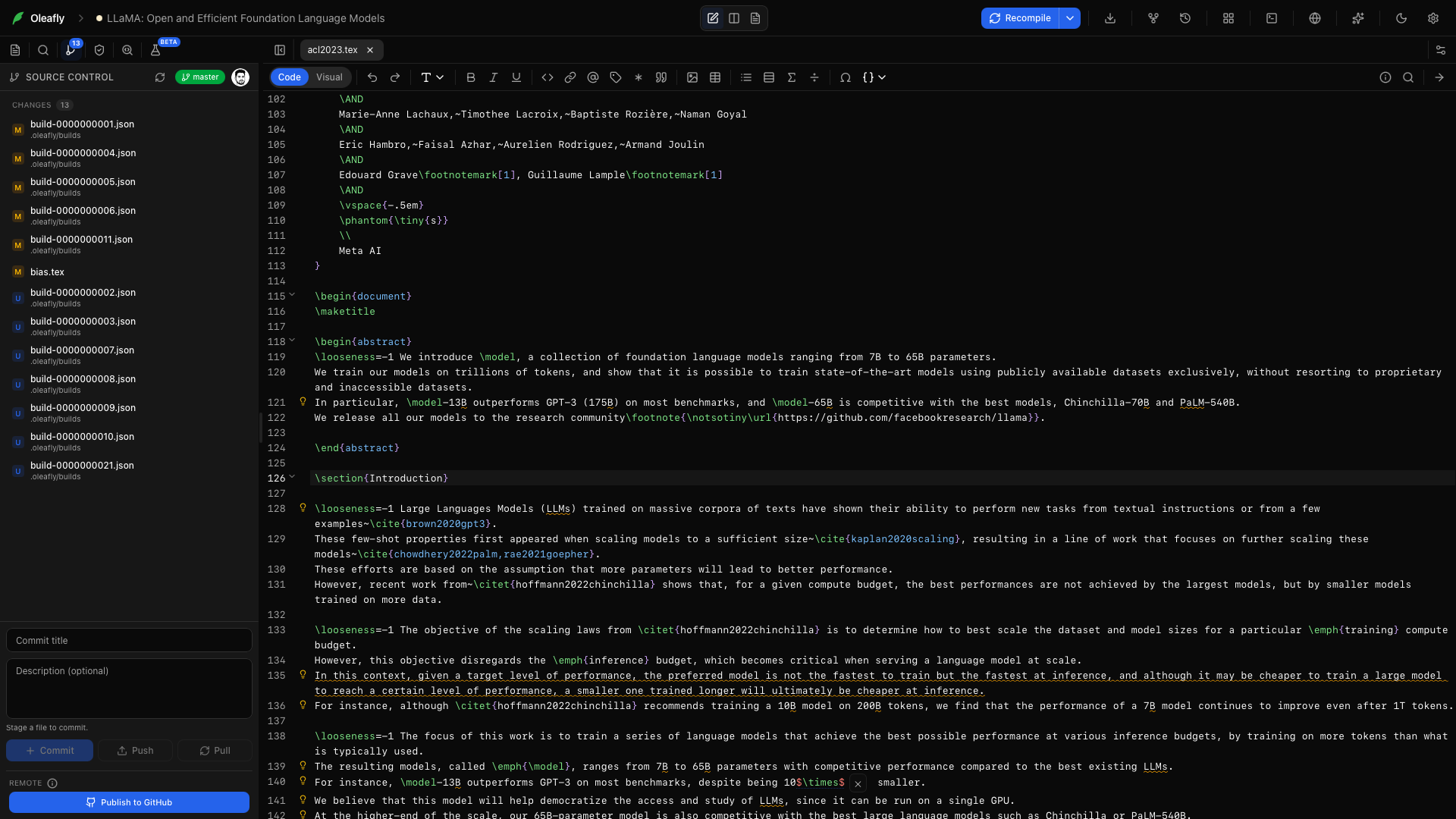
Open source control
Section titled “Open source control”Open Source Control from the project rail. Oleafly can initialize Git automatically for projects; the panel shows the current branch, staged files, and working changes.
Click a file to see its diff. Switch between split and unified views, move between changes, and edit the working copy directly. Staged diffs remain read-only.
Save a milestone
Section titled “Save a milestone”- Review the changed files.
- Stage the files you want in the commit.
- Write a message that describes the result, such as
Revise methods and add calibration figure. - Commit.
These are ordinary Git commits. You can inspect the same repository with another Git client or the command line.
Restore a commit
Section titled “Restore a commit”Open Versioning → Git History, choose a commit, and review the restore confirmation. Restoring replaces the tracked project content with that version and reloads open editor buffers.
Use Saved Checkpoints when you want the snapshots captured automatically after successful compiles. Those snapshots are stored separately; they do not create Git commits.
Add a remote
Section titled “Add a remote”Connect GitHub when you want an off-machine copy or to move work between computers. Publish to GitHub, Push, and Pull live in the project workflow.