
Citations & bibliography
Find a source, inspect its metadata, add it to the right bibliography, cite it at the cursor, and clean a library without losing the original.
A citation is a chain: the claim points to a key, the key points to a bibliography entry, and the entry points to a real source. Oleafly keeps that chain visible so a quick lookup does not become a mysterious reference later.
Cite while you write
Section titled “Cite while you write”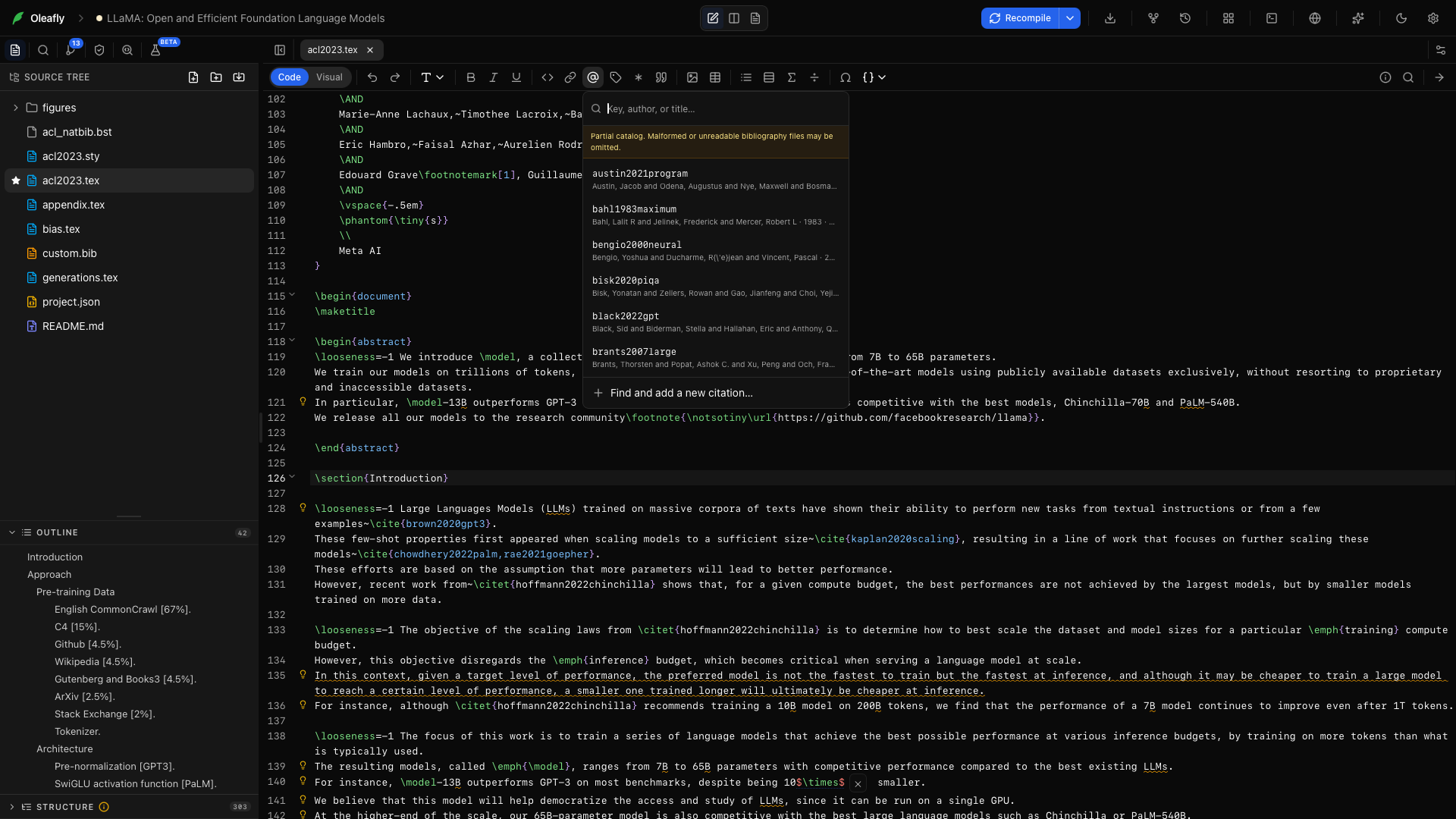
In the LaTeX toolbar, choose Cite from project (the @ icon). Search the current bibliography by key, author, or title and select an entry.
You can also run Add citation from the ⌘K or Ctrl+K command palette. Oleafly inserts syntax for the active project:
\cite{key}in LaTeX;@keyin Typst, adding a bibliography declaration when needed;[@key]in Markdown.
Find and add a new reference
Section titled “Find and add a new reference”Choose Find and add a new citation from the picker. Start with any of these:
- a DOI such as
10.1145/3592979; - an arXiv ID such as
1706.03762; - an ISBN-10 or ISBN-13;
- a PubMed ID (PMID);
- a URL containing one of those identifiers;
- a paper title.
DOI, arXiv, ISBN, and PubMed lookups use their public catalogs. A title search returns possible matches with authors, year, and venue so you can choose rather than accept a guess.
Review the returned BibTeX, then choose Add to .bib and cite. Oleafly:
- adds a collision-free key to the active bibliography;
- reuses an existing entry when the DOI already exists;
- inserts the citation at the current cursor;
- refreshes the file tree and References panel immediately.
The metadata is editable. Correct the record before it becomes part of the manuscript.
How Oleafly chooses the bibliography
Section titled “How Oleafly chooses the bibliography”LaTeX projects follow the declarations in the effective main document:
\addbibresource{references.bib}forbiblatex;\bibliography{references}for BibTeX workflows.
Paths resolve with the same extension and relative-path behavior the TeX toolchain expects. A declaration that points to a missing file is reported at that source line instead of silently writing somewhere else.
When no bibliography is declared, Oleafly uses the first .bib in the project. If none exists, it creates references.bib and makes it available in the file tree and citation picker.
For a project with several libraries, inspect the selected target before adding a record.
Import a whole reference library
Section titled “Import a whole reference library”Open Connect sources and choose an exported library:
| Source format | File |
|---|---|
| BibTeX | .bib |
| RIS | .ris |
| EndNote XML | .xml |
| Zotero RDF | .rdf |
Oleafly maps the records to BibTeX, deduplicates matching DOIs against the target library and the current batch, creates collision-free keys, and appends the result in one write. A library import does not insert a citation at the cursor.
After import, search the new entries in the citation picker and verify a sample against the original catalog.
Clean a reference library
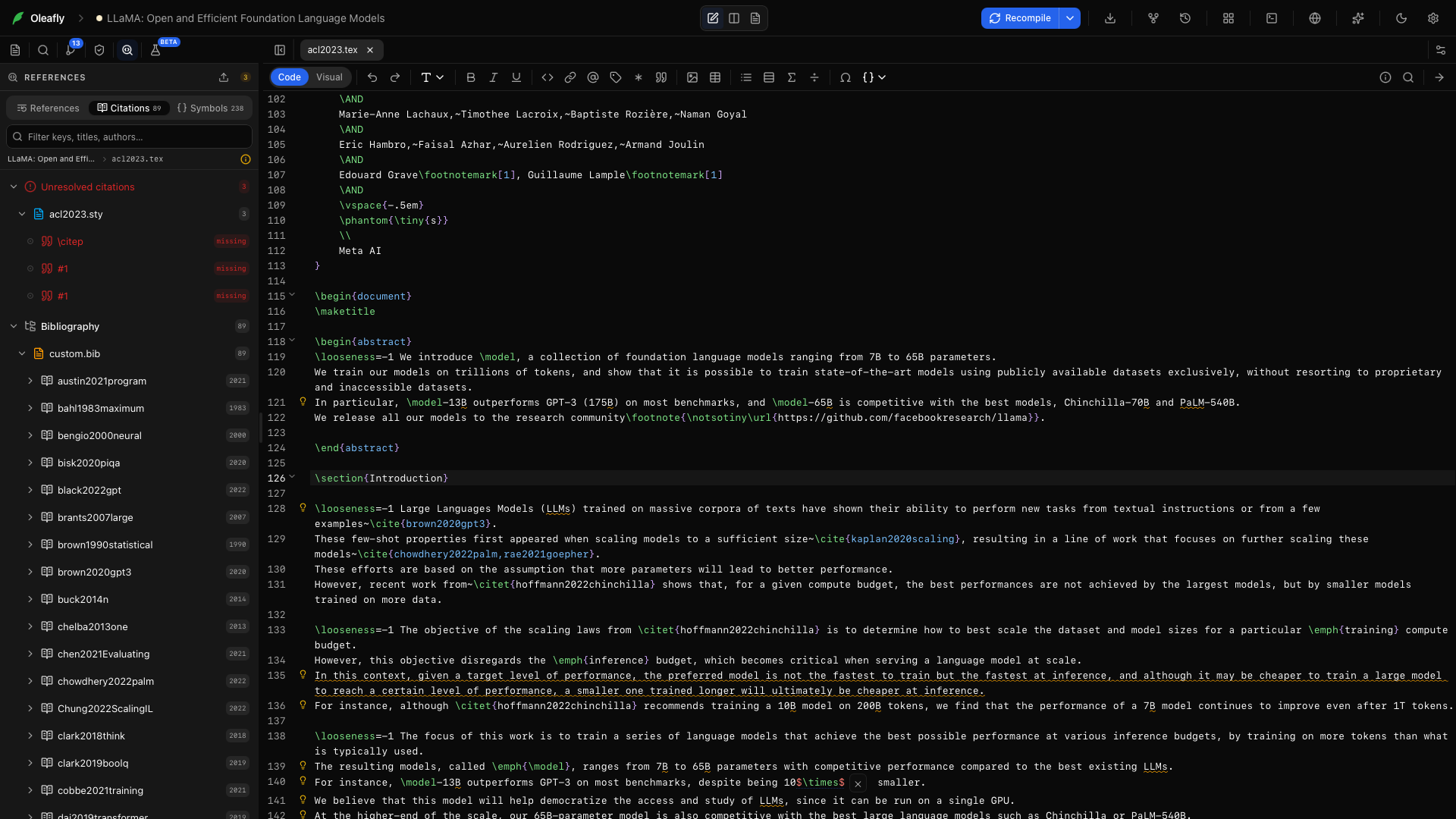
Section titled “Clean a reference library”The References panel can preview a cleanup before changing files.
- Open the project and choose Clean library.
- Select the
.bibfile when the project has more than one. - Read the action list and the before/after diff.
- Inspect every proposed key rename, removed DOI duplicate, and advisory.
- Apply only after the preview matches your intent.
The cleaner renames keys to a consistent author-year-title pattern and updates citations across project source files. It removes a DOI duplicate only when the kept entry preserves every field from the removed one. Conflicting DOI records and similar titles are flagged for review, not merged on a hunch.
Comments and BibTeX string definitions are preserved. Applying checks that the library still matches the preview and writes a backup before changing files. Large diffs show the first 500 lines in the preview; the complete files are still used when changes are applied.
Complete and navigate references
Section titled “Complete and navigate references”Inside LaTeX citation commands such as \cite{}, \citep{}, \citet{}, \parencite{}, and \textcite{}, autocomplete searches every project .bib file.
- F12 or modifier-click jumps from a citation key to its entry.
- ⇧F12 lists every use of a source.
- F2 renames a key across source and bibliography files.
- Hover shows the target; unresolved or ambiguous keys are marked before compile.
Code intelligence explains the full navigation model.
Bibliography builds and Biber
Section titled “Bibliography builds and Biber”For biblatex, Oleafly reruns its matched Biber step when the compiler has not produced a usable .bbl. Biber messages, including a missing .bib path, appear in the compile log and editor diagnostics.
If references remain undefined:
- Check the bibliography declaration and path.
- Open Logs and find the first Biber or bibliography message.
- Confirm that the citation key exists exactly once.
- Recompile after the
.bibfile is saved.
See Compiling & logs and LaTeX engines & packages for engine-specific recovery.
Standalone reference tools
Section titled “Standalone reference tools”You can prepare references without opening a project:
- Citation Generator accepts identifiers, titles, structured fields, or BibTeX.
- Bibliography Generator builds and validates a list.
- Citation Generators by Style compares eight styles.
- Focused tools handle DOIs, ISBNs, PubMed IDs, arXiv, and web addresses.
Manual editing and citation formatting stay local. Identifier and title lookup need a connection. Offline mode blocks those lookups while existing bibliography completion and navigation continue to work.
Find evidence, then verify it
Section titled “Find evidence, then verify it”Find Citations searches scholarly indexes or scans the open draft for passages that may need support. Read the paper before citing it and keep each claim within what the methods and results establish.